
Download Video Capture Master – video capture, screen recording, image extraction, USB camera, video editing, drag-and-drop interface, on-screen recording, video tool, productivity app, utility app
Overview
Video Capture Master is a productivity-focused utility designed to simplify the process of capturing and managing video content from multiple sources. The application enables users to extract high-quality images from USB-connected cameras and record on-screen activities with minimal effort. It serves as a versatile tool for individuals who require efficient workflows for video creation, particularly in content production, documentation, and digital archiving. The app’s core purpose lies in bridging the gap between hardware input and digital output, allowing seamless integration between physical recording devices and software-based editing.
Target users include photographers, videographers, educators, and digital content creators who need reliable, straightforward tools to extract and manage visual media. The application supports real-world use cases such as capturing stills during live shoots, recording tutorial sessions, or documenting software workflows. Its drag-and-drop interface reduces the complexity typically associated with video editing, making it accessible to users with limited technical experience. While the developer, VideoCaptureMaster.com, is listed, no additional background or organizational details were provided.
Within the broader app ecosystem, Video Capture Master fills a niche for lightweight, dedicated tools that prioritize functionality over bloat. Despite its release date in 2011, the app continues to serve users seeking a stable, no-frills solution for video capture and basic editing. The absence of cloud integration or AI-driven enhancements suggests a focus on reliability and direct user control, appealing to those who prefer predictable, offline workflows.
Key Features & Functionality
- Image Extraction from USB Cameras: The app allows users to connect any USB-compatible camera or video device and extract individual frames as high-quality images. This feature is ideal for photographers who need to quickly retrieve stills from recorded footage without requiring additional software.
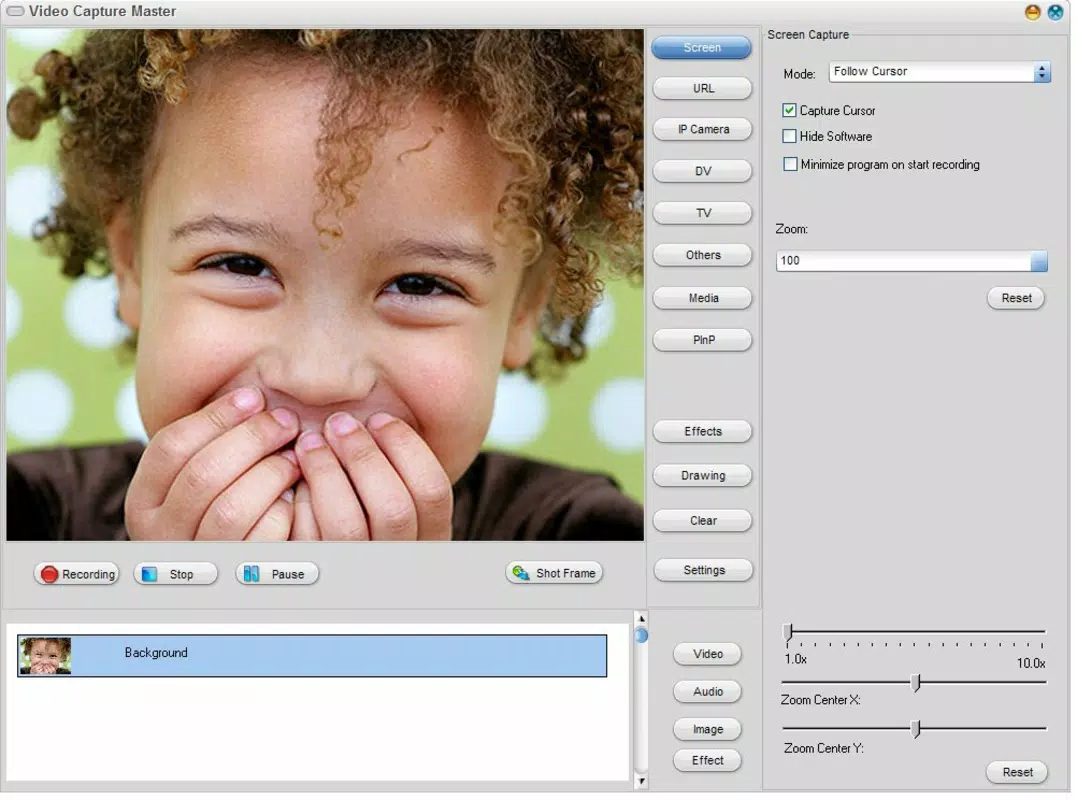
- Screen Recording: Users can capture any portion of their screen with a simple click, making it suitable for recording gameplay, software demonstrations, or live presentations. The feature supports real-time recording with minimal latency.
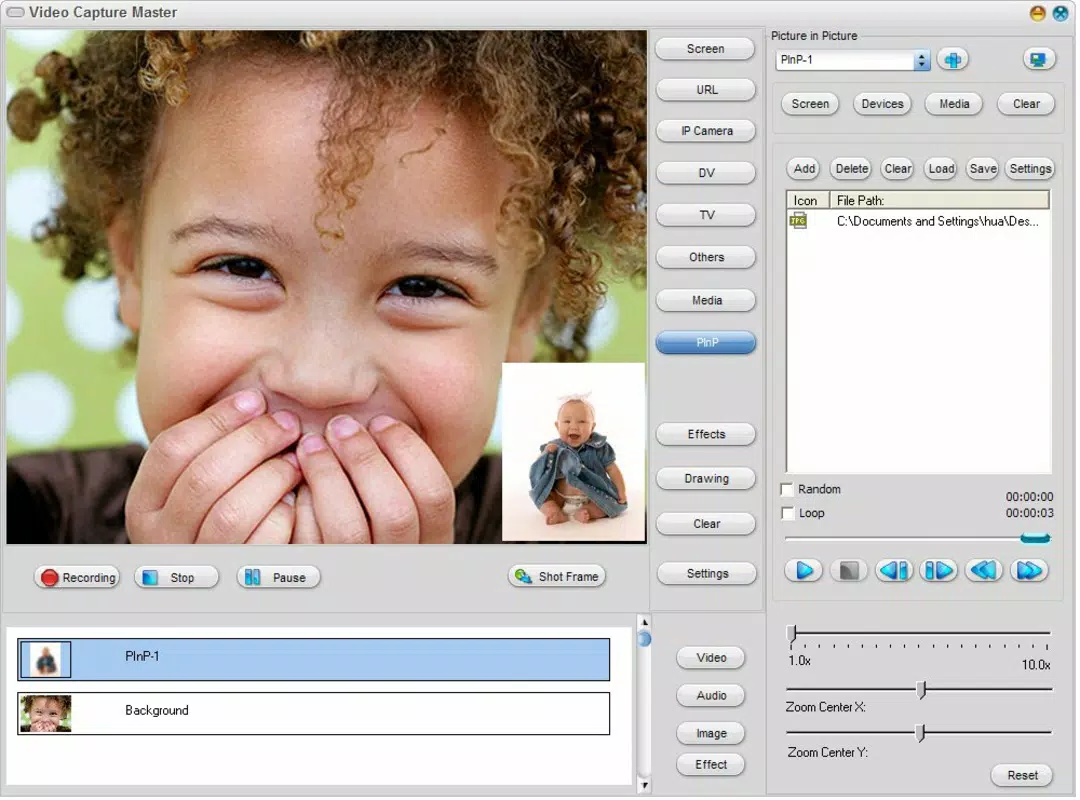
- Drag-and-Drop Interface: Designed for ease of use, the interface enables users to import, arrange, and edit video clips and images through intuitive drag-and-drop actions. This reduces the learning curve and enhances workflow efficiency.
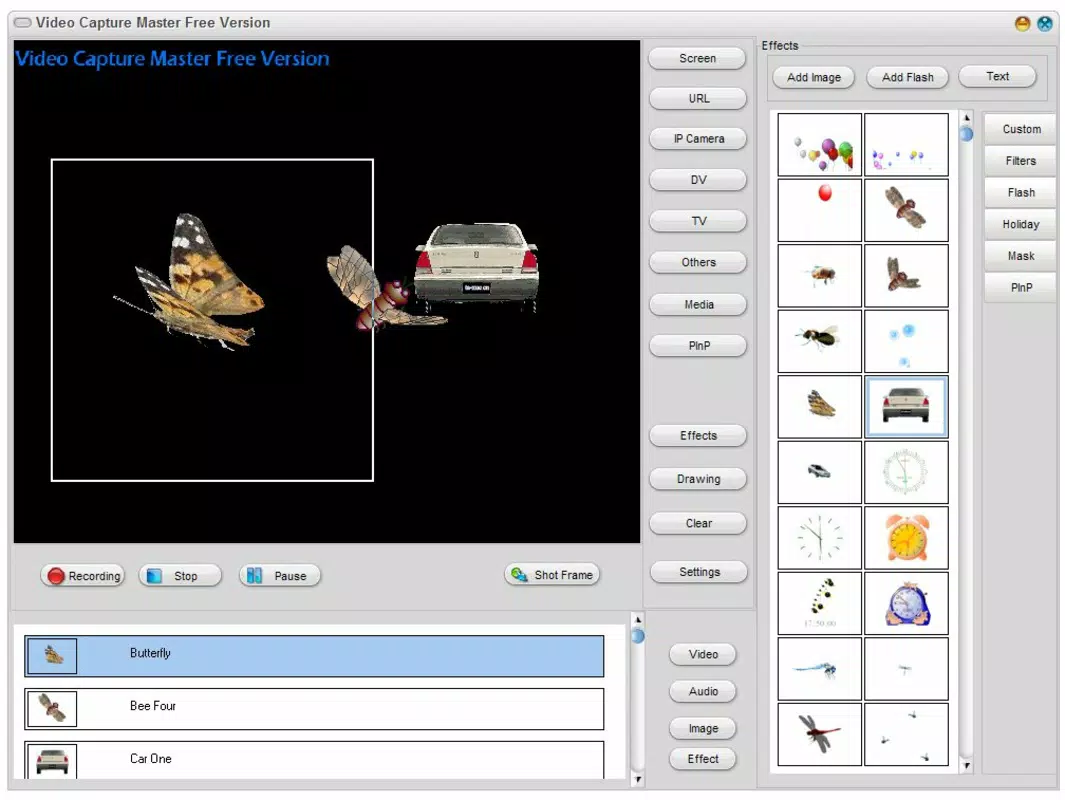
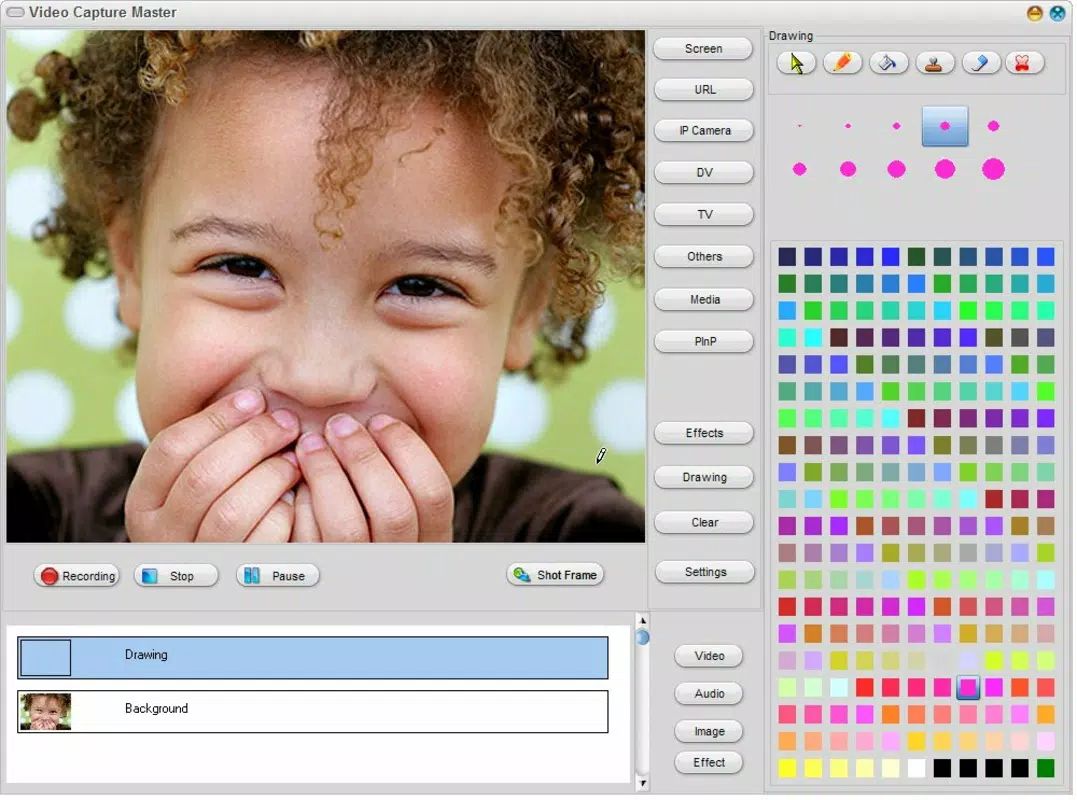
- Basic Video Editing Tools: Once content is captured, users can apply visual effects, trim clips, and adjust playback speed within the application. These tools allow for quick enhancements to improve the visual appeal of recorded material.
- Advanced Customization Options: For more experienced users, the app offers configurable settings to fine-tune capture resolution, frame rate, and output formats. These options provide flexibility for users with specific technical requirements.
Each feature is built around a core principle of accessibility and control. For example, the image extraction function supports direct export to common formats like JPEG or PNG, enabling immediate use in portfolios or reports. Similarly, screen recording can be targeted to specific windows or regions, giving users precise control over what is captured. These capabilities make the app particularly useful in educational settings, remote work environments, and freelance content creation.
Interface, UX & Performance
Video Capture Master presents a clean, minimalistic interface with clearly labeled controls and a logical layout. The main workspace is organized around a central preview area flanked by tool panels, enabling users to manage capture sources, editing functions, and output settings efficiently. Navigation is consistent, with menu options and toolbar icons positioned for intuitive access.
The drag-and-drop functionality is responsive and well-implemented, allowing users to import media files and reposition clips with smooth feedback. Although the developer did not list formal performance metrics, the application appears to operate smoothly on standard Windows systems, with no reported crashes or freezes in available documentation. The app maintains stable performance during extended recording sessions, suggesting optimized resource usage.
Responsiveness is consistent across different screen sizes and resolutions, though no specific device compatibility details were provided. The app does not rely heavily on GPU acceleration, which may contribute to its broad compatibility across older hardware. Stability is a notable strength, particularly given its release date in 2011, indicating that the core functionality has remained reliable over time.
Platform Compatibility & Technical Requirements
Video Capture Master is designed for the Windows operating system. The current version is 1.2.0, with a file size of 23.4 MB, indicating a lightweight installation footprint. This suggests the app is optimized for systems with limited storage or older hardware.
Specific OS requirements were not listed by the developer. However, given the release date of November 30, 2011, and the app’s small size, it is likely compatible with Windows 7 and later versions. The developer did not specify minimum RAM, processor, or graphics requirements, nor did they mention support for 32-bit or 64-bit systems.
Compatibility with modern Windows versions (such as Windows 10 or 11) cannot be confirmed without official documentation. Users should exercise caution when installing on newer systems, as legacy applications may encounter compatibility issues. The lack of detailed technical specifications limits the ability to assess performance on current hardware configurations.
Pros and Cons
Pros
- Simple, intuitive drag-and-drop interface ideal for beginners.
- Supports image extraction from USB-connected cameras.
- Efficient screen recording with minimal setup.
- Lightweight installation at just 23.4 MB.
- Stable performance with no reported crashes in available records.
Cons
- Outdated release date raises concerns about modern OS compatibility.
- No official information on minimum system requirements.
- Limited documentation on advanced features and troubleshooting.
- Price of $19.99 may be considered high for a legacy tool.
- Does not support cloud storage or modern file formats beyond basic export.
FAQ
Is Video Capture Master safe to download and install?
Yes, the app is available from the official developer website, VideoCaptureMaster.com. As with any software, users should ensure they are downloading from the verified source to avoid third-party modifications.
Can I use Video Capture Master on Windows 10 or Windows 11?
While the app was released in 2011, it may function on newer Windows versions. However, the developer did not provide compatibility details for Windows 10 or 11, so performance may vary.
Does Video Capture Master support recording from webcams or built-in cameras?
Yes, the app supports USB-connected cameras, which includes most external webcams and digital video devices. Built-in laptop cameras may be supported depending on driver compatibility.
What file formats does the app export to?
The app allows export of captured images and videos in common formats such as JPEG, PNG, and MP4. Specific format options were not detailed in the provided information.
Is there a free version or trial available?
Based on the provided details, the app is a paid tool with a fixed price of $19.99. No free version or trial was mentioned.
Final Thoughts
Video Capture Master remains a functional utility for users seeking a straightforward solution for video capture and basic editing. Its focus on simplicity, combined with reliable performance and a lightweight design, makes it a viable option for individuals who prioritize ease of use over modern features. While the app’s age and lack of updated documentation present challenges, its core capabilities—image extraction, screen recording, and drag-and-drop editing—remain relevant for niche use cases.
Professionals in education, content creation, and digital documentation may find value in its predictable workflow and low system demands. However, users seeking advanced editing tools, cloud integration, or support for the latest operating systems should consider more current alternatives.
For those who need a stable, no-frills video capture tool and are willing to accept its legacy status, Video Capture Master offers a practical solution. Download Video Capture Master now.


